.png)
It's one of the best tools available for exactly this purpose.
Newsletter landing pages and waitlist pages share a defining characteristic: they have one job, and every element on the page should exist in service of that single goal. Carrd's focused, stripped-back structure maps to that requirement almost perfectly. This isn't a case of forcing a platform to do something it wasn't designed for. It's closer to the opposite.
Why single-purpose pages convert better
There's a reason dedicated signup pages consistently outperform embedded homepage signup sections: when a visitor lands somewhere with one clear action and nothing pulling attention elsewhere, they either take that action or they leave. No navigation sending them to your about page, no blog posts to browse. The decision is simple.
Carrd enforces this by design. A newsletter page on Carrd typically has a short headline, two or three lines describing what subscribers can expect, and a form. That's the whole page. The brevity that feels limiting when you're building a complex service site is exactly what you want when the page's only job is turning a visitor into a subscriber.
Page speed matters here too. Newsletter pages often receive traffic from social media bios or ad campaigns, where visitors have a short attention window and no patience for slow loads.

How email collection actually works on Carrd
Carrd doesn't send emails or manage subscriber lists natively. What it does is give you a clean, fast page to present your offer, and the actual collection happens through a connected email service.
The most straightforward setup is embedding a signup form from your email platform directly into the Carrd page. Most major tools provide an embed code: Kit (formerly ConvertKit), Mailchimp, MailerLite, and Beehiiv all generate a short snippet you paste into Carrd's embed element in a couple of minutes. Once that's in place, the form handles double opt-in emails, list management, and subscriber tagging entirely within your ESP. Carrd handles the page. Your email platform handles everything after the signup. Each does what it does best.
If you prefer Carrd's native form, that's a viable path too, though it needs one extra step. The native form doesn't connect directly to an email platform, but it can push submissions to Zapier or Make, which route the address to whichever list you're building. This adds a small setup step but works reliably once it's configured.
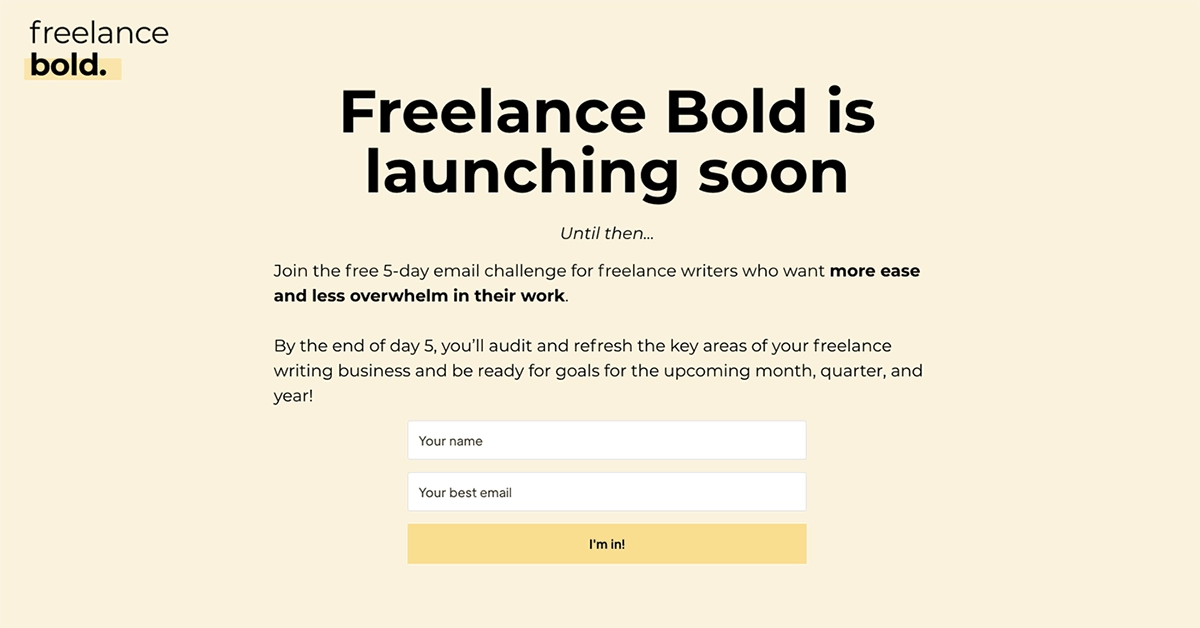
Waitlist pages specifically
For a launch waitlist, the use case gets even simpler. The page is often just a headline announcing what's coming, a brief reason to care, and a single email input. Carrd builds that in minutes, and the result looks clean and credible enough to share immediately, even while the product behind it is still in progress.
One addition that works well as a waitlist grows is a small social proof line: "Join 440 people waiting for early access." It adds credibility and creates a feedback loop where the list's momentum makes joining more compelling for new visitors. Carrd doesn't handle a live counter natively, but embedding a snippet from a tool like Waitlist.email or displaying the number as static text you update occasionally both work without friction.
The final verdict:
Email is still the most reliable channel most independent businesses and creators have for reaching their audience directly, and the quality of the page where signups happen has a real effect on how many people actually convert. For that page, you want something fast, focused, and free of distractions. Carrd delivers all three without overcomplicating the build.
For a standalone newsletter page, a pre-launch waitlist, or a lead magnet signup linked from your bio, the combination of Carrd's layout and a well-chosen email platform is one of the most efficient stacks a solo operator or early-stage team can put together.
If you want a solid visual foundation to start from rather than a blank canvas, the carrd templates at onepagetips.com/#templates include focused single-conversion layouts worth browsing before you build. And if you have questions about which email platform pairs best with your specific setup, feel free to contact us!