
Small business owners often struggle when choosing the right website layout for their brand goals. Many tools promise flexibility but quickly become complex and expensive for simple needs. Carrd offers an effective alternative that focuses on speed and control for solopreneurs. As a designer who has built many Carrd websites for businesses and professionals, I have seen what works and what quietly fails.
Templates matter more than most people expect, because they shape trust before content even loads. Through a template, you save easily around 60-70% of the workload of building a website! This article explores real Carrd templates I’ve designed that actually work forbusiness websites and solopreneurs/freelancers. These examples are based on practical use rather than theory or marketing claims.
Service-Based Business Templates That Convert Quietly
Service-based businesses need clarity more than creativity, since visitors usually arrive with a specific problem and limited patience. The best Carrd templates for services open with a direct value statement and a clear next step. In real projects, I often choose templates with a strong hero section followed by simple stacked sections.
Local businesses depend heavily on trust signals even when the service is simple. A good Carrd template for local businesses feels grounded and familiar rather than trendy. Templates that allow space for location context work especially well.
Here’s a 5-page Carrd template designed for Agencies:
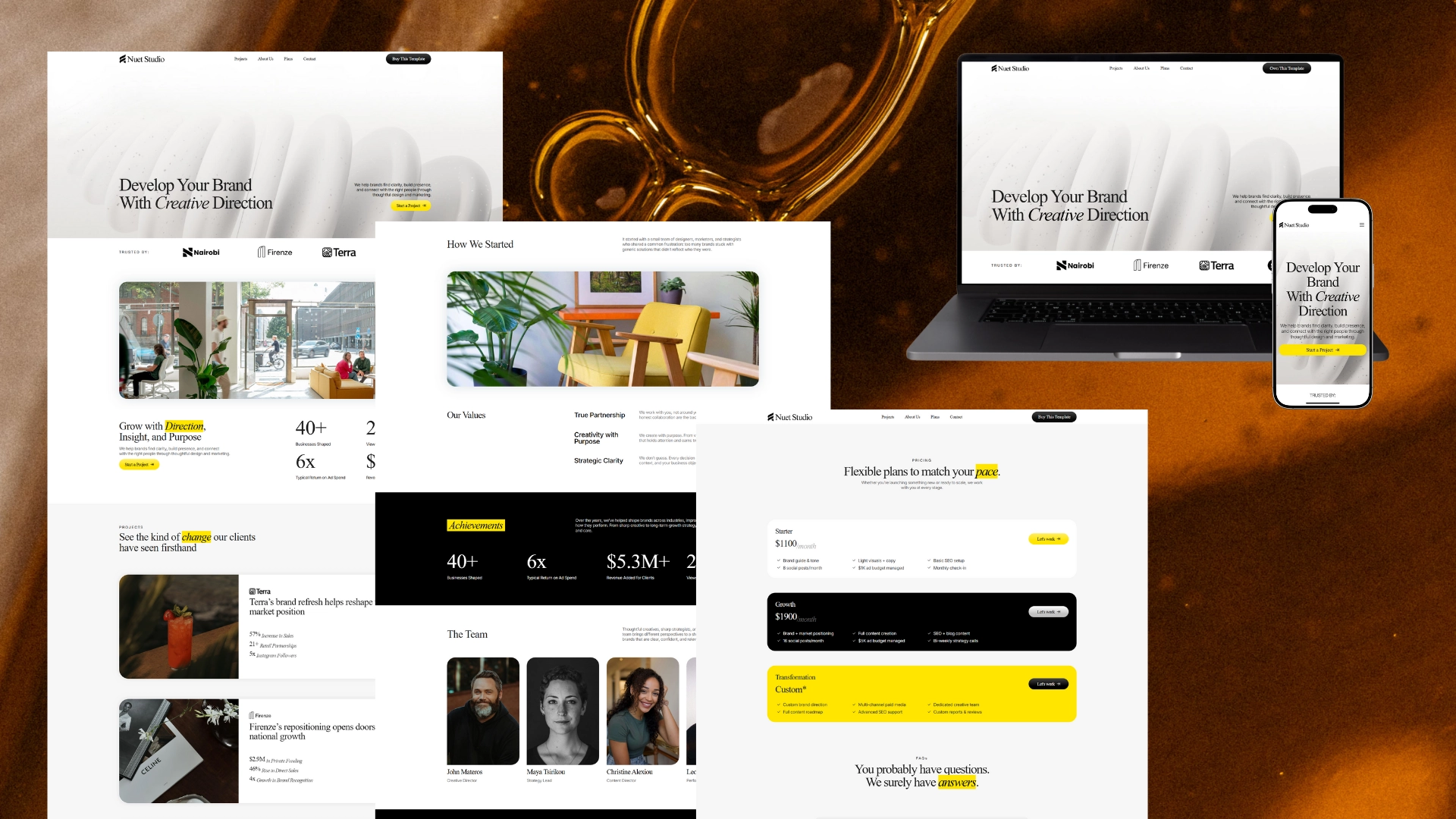
Here’s a 4-page Carrd template designed for Coaches:
.png)
Here’s a 4-page Carrd template designed for a Startups:
.jpg)
Product Focused Templates for Simple Offers
Some small businesses sell one main product or digital offer. Carrd templates shine in these cases because focus is enforced by design. The best product templates guide attention downward through explanation rather than overwhelming visitors with features.
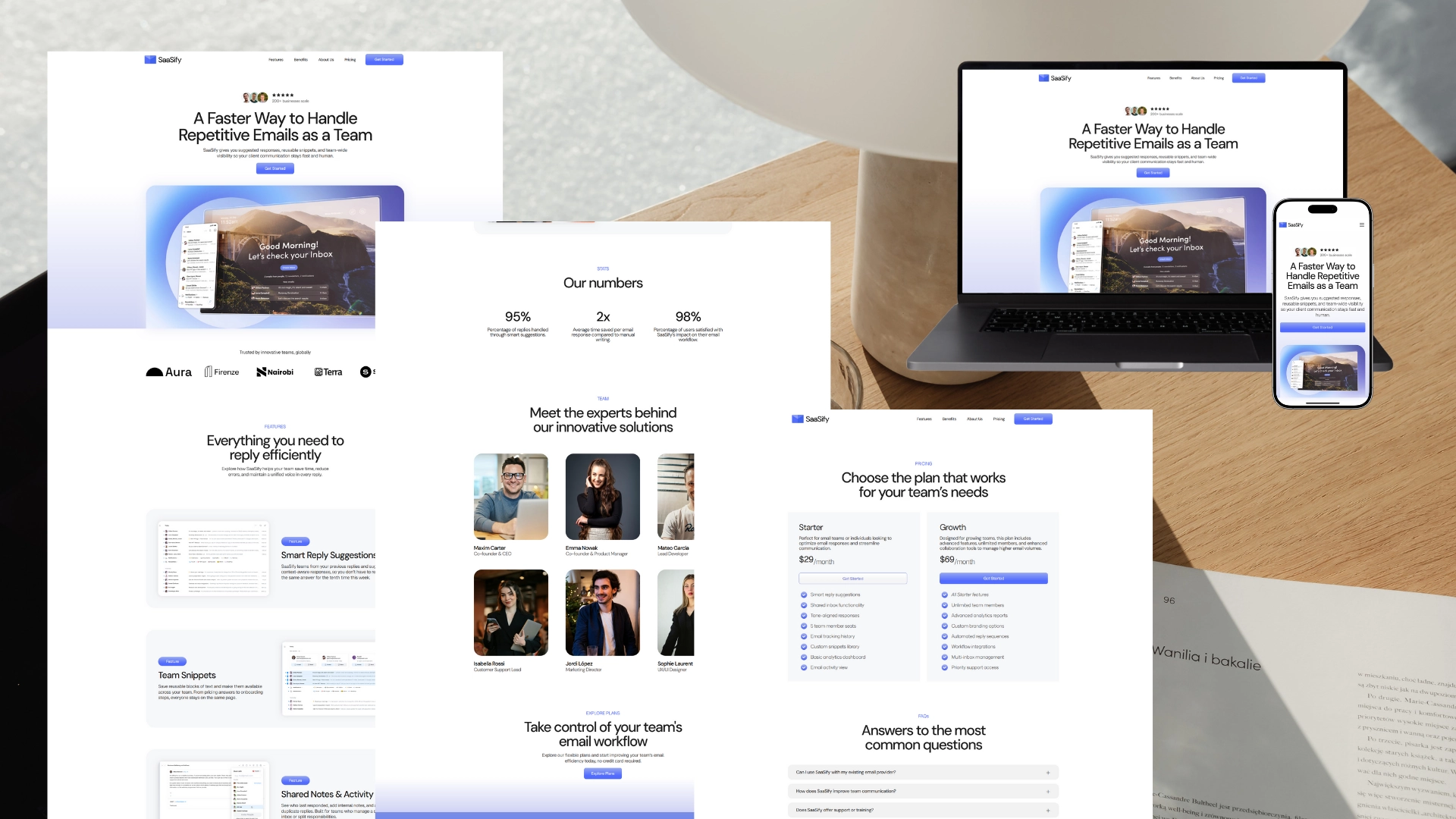
Here’s a 3-page Carrd template designed for a SaaS:
Here’s a 1-page Carrd template designed for a Digital Product:
.jpg)
Personal Brand Templates for Solo Founders
Solo founders often struggle between looking professional and staying personal. Carrd templates designed for personal brands walk this line well when chosen carefully. The strongest templates allow a short personal introduction without turning the site into a biography.
A balance between expertise and warmth creates credibility without arrogance. I often adjust these templates by simplifying text blocks and reducing section count. Fewer sections usually increase clarity and trust for personal brands.
Here’s a 1-page Carrd template designed for Consultants:
-1.jpg)
Here’s a 1-page Carrd template designed for Freelancers:
.png)
Here’s a 1-page Carrd template designed for Photographers:
.jpg)
Common Template Mistakes I See Repeated Often
Many small business owners choose templates based on looks alone, but this usually leads to confusion later during content writing. A visually attractive template can still block natural storytelling. Another common mistake is overloading a template with extra sections that were never intended.
Carrd templates work best when respected rather than forced. If a layout fights your message, it is the wrong layout. Ignoring mobile flow is also risky some templates look fine on desktop but feel cramped on smaller screens.
The templates above are 100% ready-to-use across all devices.
How I Adjust Templates for Real Client Projects
I rarely use Carrd templates without modification, since small changes often improve usability significantly. Let’s not forget that everyone’s needs are different so that’s why small adjustments are likely needed. So a few takeaways to remember when starting off with a carrd template:
· Modify templates to improve usability for each client project.
· Adjust spacing, text width and section order for better flow.
· Remove elements that look good but do not really support your message.
· Treat templates as flexible starting points rather than final designs.

FAQ’s
1: Do I need a paid plan to use them?
Yes, all of the templates require a Carrd Pro Plus account. This is because certain features, like custom forms, advanced integrations, and code embeds, are only available on the Pro Plus plan.
2: Can I customize Carrd templates for my brand?
Yes, you can adjust colors, fonts, spacing and sections to match your brand style easily.
3: Do Carrd work well on mobile devices?
Yes, all of the Carrd are mobile-friendly and feel smooth on small screens.
4: Are Carrd templates suitable for service-based businesses?
Yes, service businesses benefit from simple layouts that explain value clearly and quickly.
5: How do I install a template once I purchase it?
From your Carrd dashboard, click “New Site”, go to “Choose a Template,” and find the one you purchased in the list. Select it, and Carrd will open the builder where you can immediately start customizing it.
Conclusion
Carrd templates can be powerful tools for small business websites when chosen with intention and experience. Real examples show that clarity beats creativity in most practical cases. Make sure to explore our entire library of carrd templates and contact if you need any clarification :)