.png)
Carrd was designed from the ground up for people who want to build a professional website without touching a single line of HTML, CSS, or JavaScript. The real question isn't whether you need coding knowledge. It's whether you're comfortable making visual decisions, and that's a very different skill set.
Here's what the actual building experience looks like, including the one moment that can feel intimidating to a first-time user and why it's less technical than it appears.
What building in Carrd actually looks like
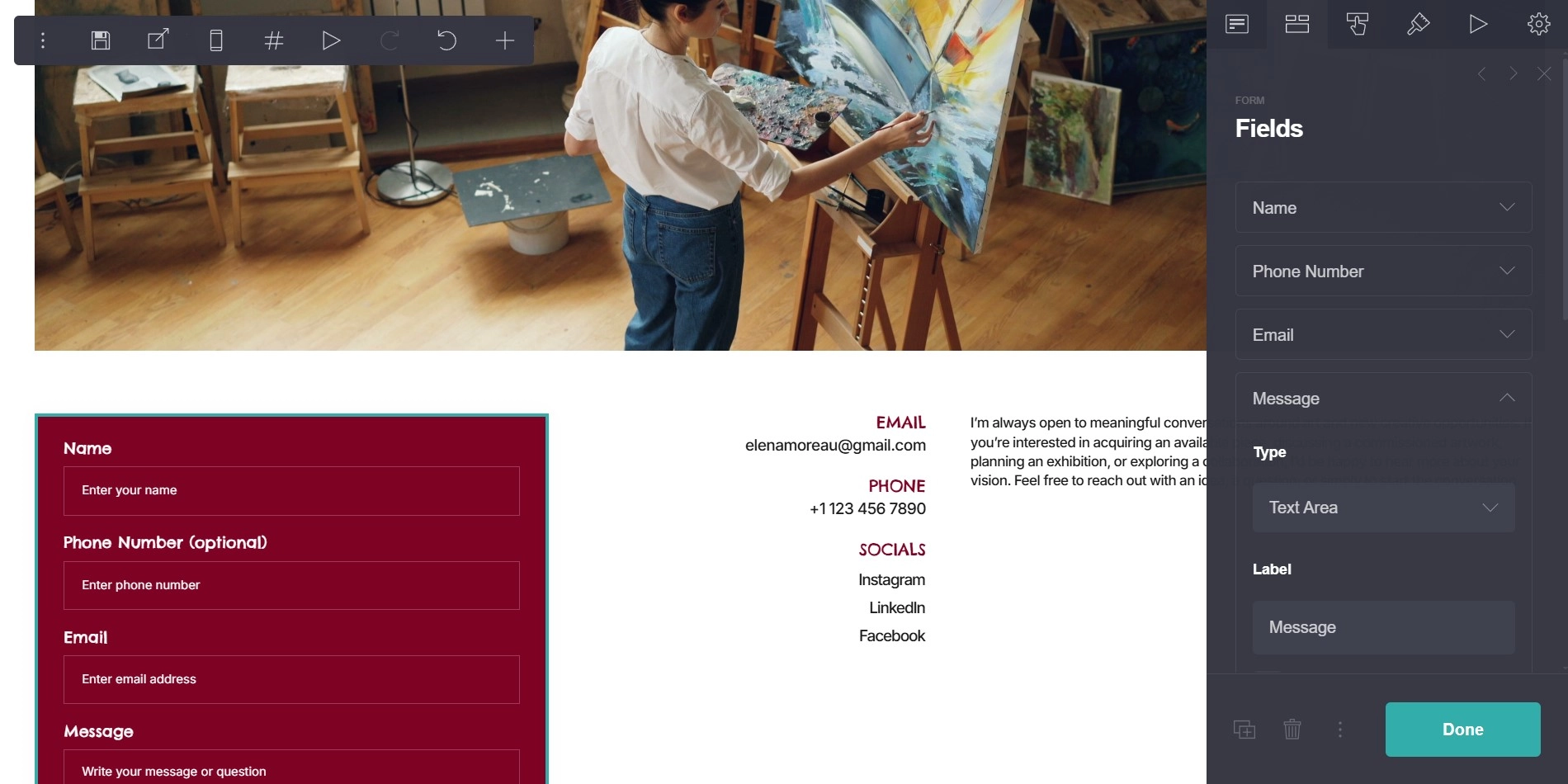
Carrd's editor works on a straightforward principle: you add elements to a page and configure each one visually. Want a heading? You click to add a text element, type your words, and choose the size, weight, alignment, and color from a side panel. Want an image? You add an image element, upload your file, and adjust how it sits on the page. Want a contact section? You add the relevant elements and arrange them in an order that makes sense for your content.
Nothing in this process requires you to write code. There's no source file to open, no terminal to touch, no syntax to remember. Every configuration option shows up as a toggle, a dropdown, a slider, or a color picker. If you've ever arranged slides in a presentation tool or cropped a photo in a basic editor, the level of technical involvement is roughly comparable.
The layout system works through stacking. Elements sit inside containers, and containers stack vertically on the page. You control spacing, alignment, and sizing through each element's settings panel. This sounds more abstract written out than it actually feels in practice, and most people find the logic clicks into place within the first twenty or thirty minutes of experimenting.
The one moment that feels "code-adjacent"
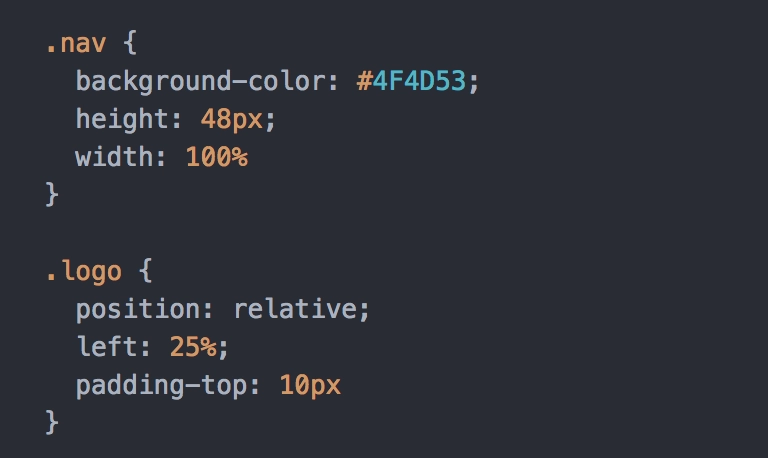
If there's a point where a no-code Carrd builder might pause and feel uncertain, it's when adding third-party embeds. Tools like Calendly, Stripe, and Tally generate what's called an embed code: a short snippet of HTML you paste into Carrd's dedicated embed element to bring in external functionality.
This looks like code. The important thing to understand, though, is that you're not writing it. You're copying it from another platform and pasting it into a designated field in Carrd's editor. You don't need to understand what the snippet does or how it works internally, in the same way you don't need to understand electrical wiring to plug something into a socket. The embed element in Carrd was built specifically to receive these snippets and render them correctly on your page.
Most Carrd sites never need more than one or two embeds. The platforms that generate them provide clear copy-paste instructions, and the whole process typically takes under two minutes once you've done it once. It's as close as Carrd gets to technical, and it's still well within reach for someone with zero background in web development.
What you actually need instead of code
Being successful on Carrd doesn't require technical knowledge. It does require a few other things, and it's worth being honest about what those are.
ou need clarity about what you want the page to communicate and in what order. Carrd hands you the tools, but it doesn't make content decisions for you. The hierarchy of information on your page, the balance between text and imagery, and the tone of your writing are all judgment calls that no platform automates, regardless of how beginner-friendly it is.
You also need some patience with responsive behavior. Carrd handles mobile layout automatically to a reasonable degree, but certain elements, particularly embeds and some container configurations, occasionally need manual adjustment to display correctly on smaller screens. This isn't coding. It's testing your page on an actual phone and tweaking spacing or sizing settings until things look right. Most people work through it comfortably, but it takes a bit more time than some beginner guides tend to acknowledge.
The optional layer: CSS customization
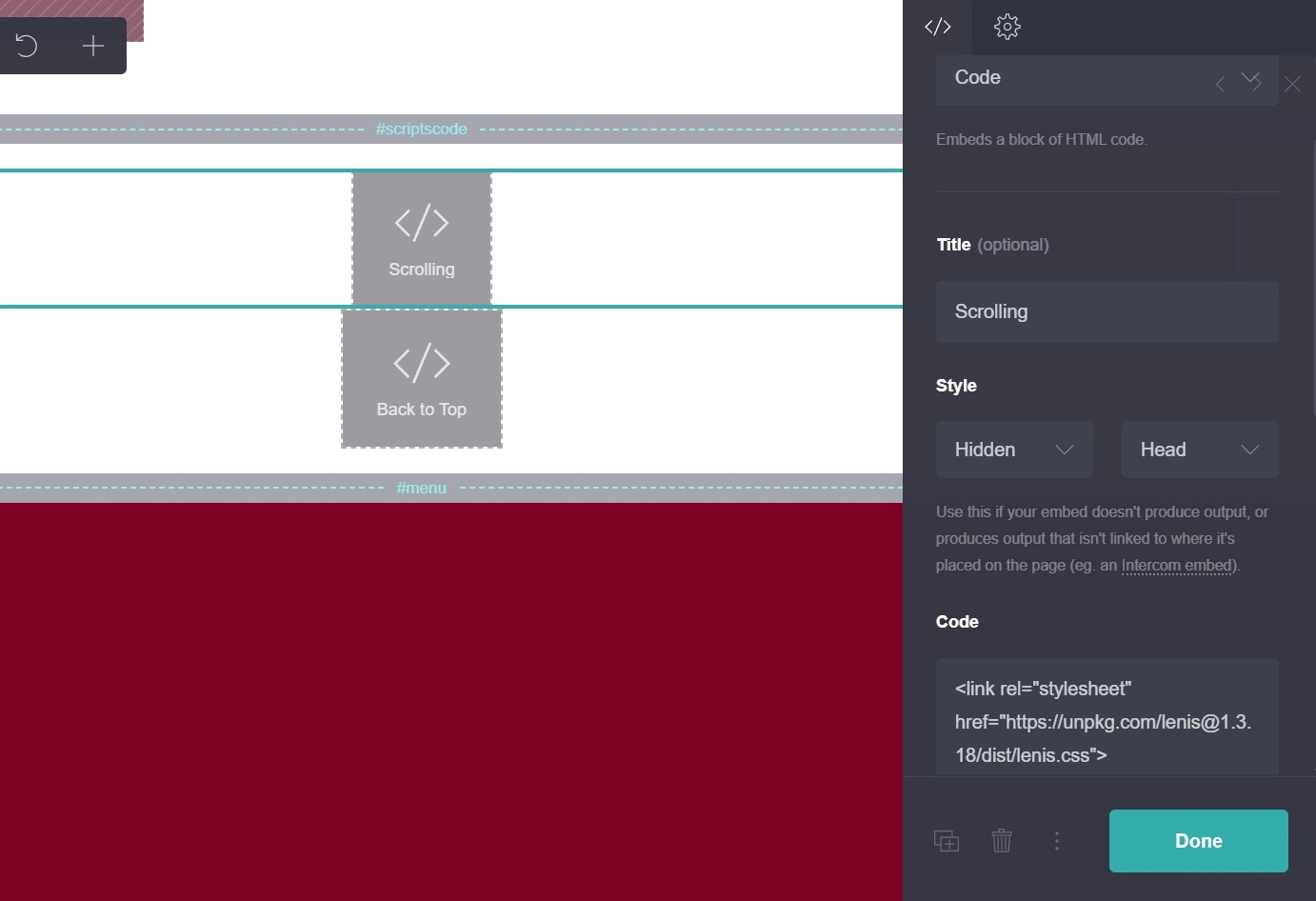
Carrd does offer a custom CSS field for users who want visual control beyond what the standard editor provides. Custom fonts, fine-tuned spacing adjustments, hover effects. This is completely optional and entirely unnecessary for building a polished, professional Carrd website. The vast majority of Carrd users never open it.
If you do want to explore it later, CSS is considerably more approachable for a beginner than most coding languages. Small, targeted CSS rules are easy to copy, understand, and adapt without needing to learn the language from scratch. But this is genuinely a later conversation. Getting your first Carrd site live doesn't require it, and many experienced Carrd designers have never needed it either.
The bigger picture
One of the reasons Carrd works well for non-technical founders and solopreneurs is that the constraints baked into the platform work in a beginner's favor. There are fewer decisions to make, fewer settings to misconfigure, and fewer ways to accidentally break something. The simplicity that might feel limiting to an advanced user is what makes the editor forgiving and fast for someone just starting out.
What Carrd asks of you is attention to your content and a willingness to take your time getting the details right. Those aren't technical demands. They're the same demands that every well-designed website requires, on every platform, at every skill level.
If you want a clear reference point for what a finished Carrd site can look like before you start building your own, the carrd templates in our library are worth browsing. Seeing real built-out examples gives you a concrete sense of what the editor is capable of producing. And if you hit a specific moment during your build where you're not sure what to do, feel free to contact us!